Installing SPARK
SPARK is now available directly through Blish HUD and no longer needs a manual installation.
Download via Blish HUD's module repo
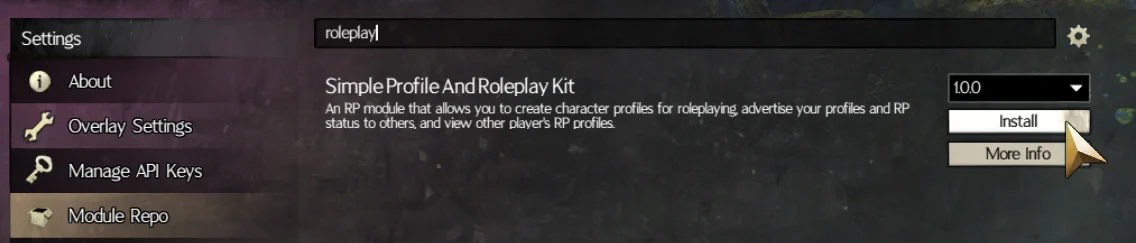
- Open Blish HUD in-game.
- Click on 'Module Repo' on the left sidebar.
- Search for 'roleplay' and you should see 'Simple Profile and Roleplay Kit'.
- Click install!
If you do not have a GW2 API Key added into Blish HUD, SPARK will not function! See here to fix this.
You should now be able to use SPARK!
When you use SPARK, you should see:
Server status: Connected: SPARK Available
SPARK tools ready.
Manual Install (not recommended)
If you are on an older version of SPARK, please delete the SPARK .bhm file from your Blish HUD modules folder (step 2) and install the module directly through Blish HUD instead! Manual installs do not receive automatic updates.
SPARK Requires the following to function:
1. Guild Wars 2 (of course!)
2. Blish HUD
3. An API Key added to Blish HUD for SPARK to use.
1. Download SPARK
To install SPARK, you need a .bhm file, which is a Blish HUD module file, which is what addons are.
The latest version can always be found on the GitHub for SPARK.
Click here to go to the releases page
You can find the file in the bottom of each release, like so:

2. Place SPARK in your modules folder
Please ensure Blish HUD is not currently running when you add it to the module folder.
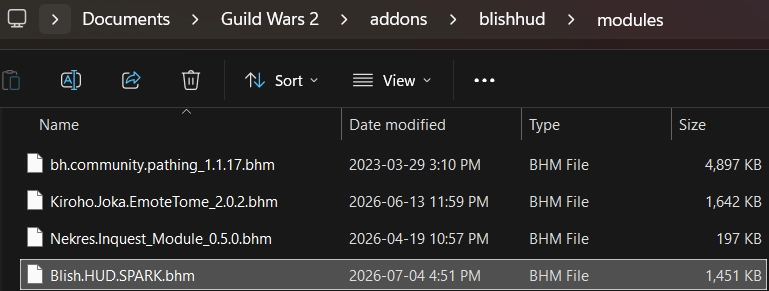
You need to add this downloaded .bhm file into Blish HUD, where you will probably find other modules you've installed!
On Windows, this usually is Documents\Guild Wars 2\addons\blishhud\modules
3. Start Guild Wars 2 and Blish HUD
You can now run Blish HUD and see if the addon is running!
4. Check if SPARK is running
Load into a character, and open the Blish HUD panel using the icon on the top bar
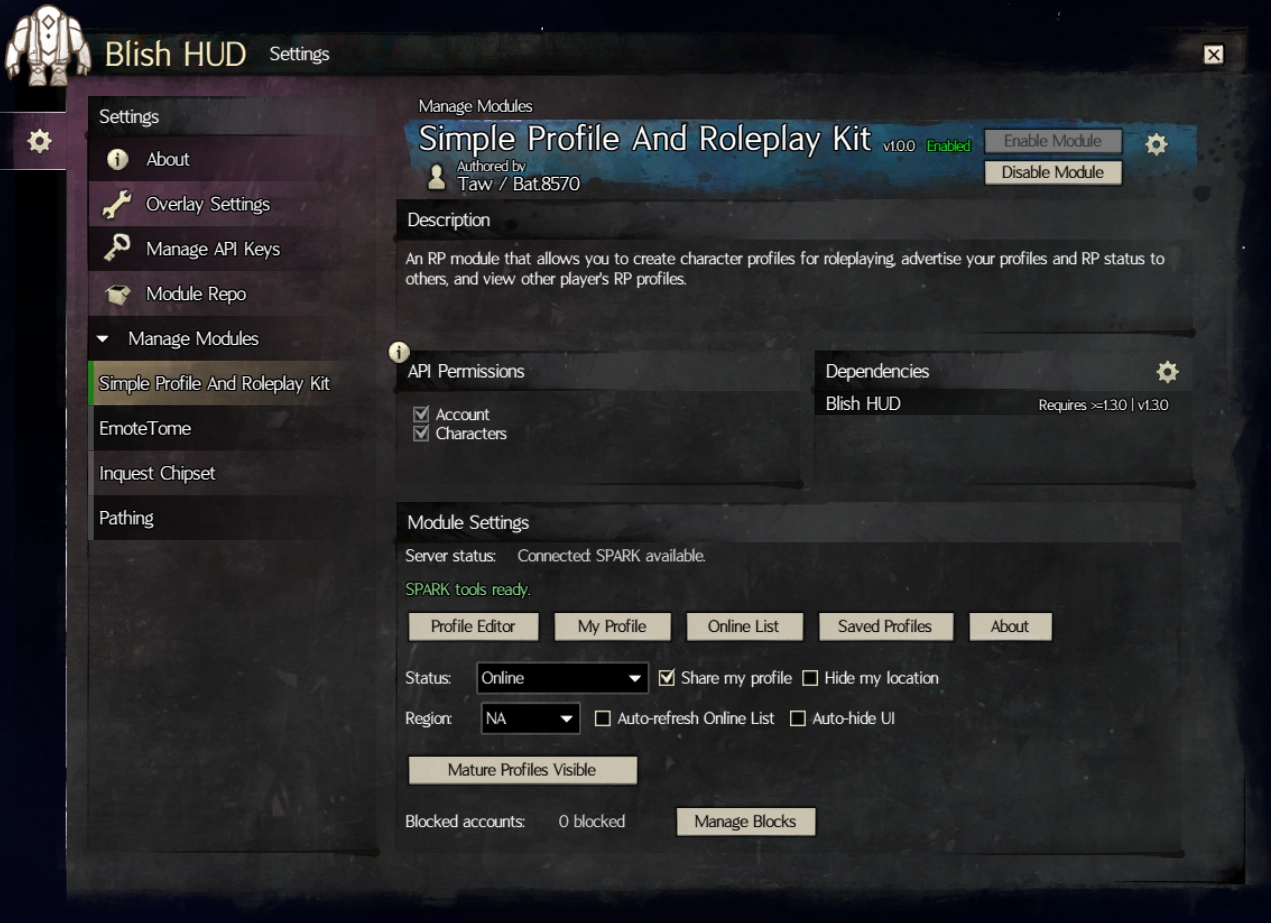
You should see this window, and can confirm if the module is running:
If you do not have a GW2 API Key added into Blish HUD, SPARK will not function! See here to fix this.
You should now be able to use SPARK!
When you use SPARK, you should see:
Server status: Connected: SPARK Available
SPARK tools ready.